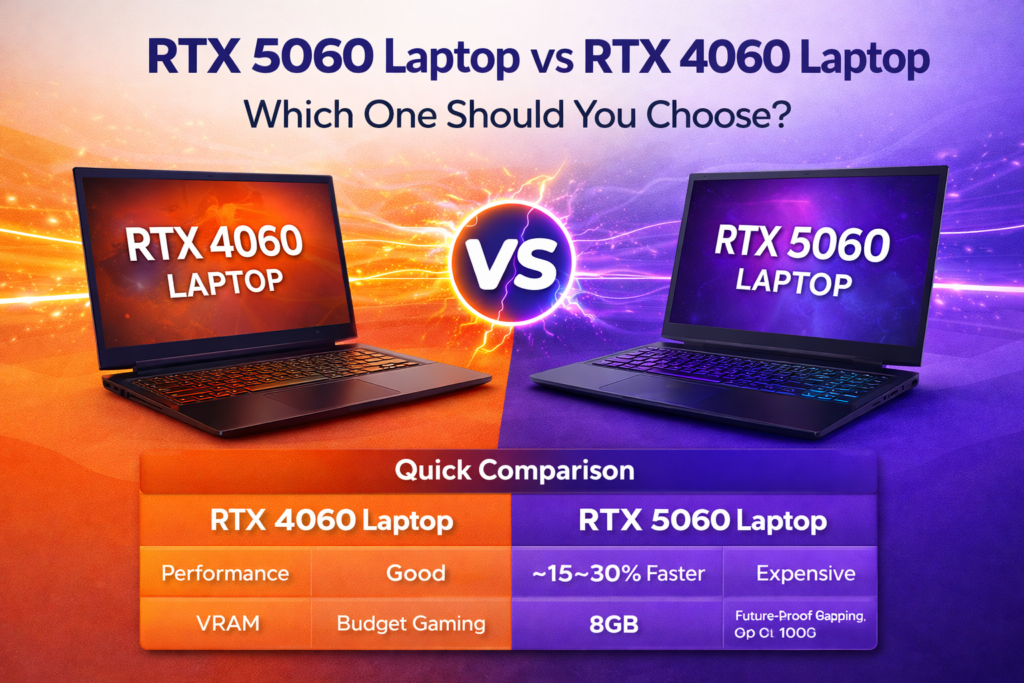
If you’re shopping for a gaming laptop in 2026 and stuck choosing between the 4060 laptop vs 5060 laptop, you’re asking one of the most common questions in PC gaming right now. Both GPUs deliver strong mid-range performance, but they are not the same — and the right choice depends heavily on your budget, how long you plan to keep the laptop, and what you actually use it for.
This guide cuts through the marketing noise and gives you real benchmark data, accurate specs, honest trade-offs, and a clear verdict on who should buy each GPU.
Quick Comparison: 4060 Laptop vs 5060 Laptop
| Feature | RTX 4060 Laptop | RTX 5060 Laptop |
| Architecture | Ada Lovelace | Blackwell (GB206) |
| CUDA Cores | 3,072 | 3,328 |
| VRAM | 8GB GDDR6 | 8GB GDDR7 |
| Memory Bandwidth | ~272 GB/s | ~408 GB/s (+50%) |
| Ray Tracing Cores | 3rd Gen (24 units) | 4th Gen (26 units) |
| Tensor Cores | 4th Gen | 5th Gen |
| DLSS | DLSS 3 | DLSS 4 + Multi Frame Gen |
| PCIe | PCIe 4.0 | PCIe 5.0 |
| 3DMark Time Spy | ~10,500 | ~13,800 (+32%) |
| Laptop TGP | 35–115W | 35–115W |
| Starting Laptop Price | ~$999 (deals) | From $1,099 |
| Launch Year | 2023 | 2025 |
Architecture: What Actually Changed?
The biggest technical shift in the 4060 laptop vs 5060 laptop comparison is not the core count — it is the memory technology. The RTX 5060 Laptop moves from GDDR6 to GDDR7 video memory, which delivers roughly 50% more memory bandwidth despite using the same 128-bit bus and same 8GB capacity. That wider data pipe matters a lot for texture-heavy games and 1440p gaming.
The RTX 5060 Laptop is built on Nvidia’s Blackwell architecture (GB206 chip), featuring 3,328 CUDA cores, 26 ray tracing units, and 5th-generation Tensor Cores. The RTX 4060 Laptop runs Ada Lovelace with 3,072 CUDA cores and 3rd-gen RT cores.
What stays the same: both laptops use the same 128-bit memory bus, and both carry just 8GB of VRAM — a limitation that has become more significant in 2026 as several AAA titles exceed 8GB at 1440p with high texture settings.
Real Benchmark Data: How Much Faster is the 5060 Laptop?
Based on real benchmark data from independent testing (3DMark, NotebookCheck, Tom’s Guide, and GamersNexus):
- 3DMark Time Spy (Graphics): RTX 5060 Laptop scores ~13,821 vs ~10,500 for RTX 4060 Laptop — roughly 32% faster in synthetic tests
- Geekbench OpenCL: RTX 5060 Laptop shows ~18% average improvement over the RTX 4060 Laptop in parallel processing tasks
- Real-world gaming gap: typically 15–25% faster in rasterized performance depending on game and TGP (power allocation by laptop manufacturer)
- Ray tracing: measurably better on the 5060 due to 4th-gen RT cores, but both GPUs benefit greatly from DLSS to hit playable framerates
An important caveat: laptop TGP (Total Graphics Power) varies by manufacturer. An RTX 5060 Laptop running at 80W may perform similarly to an RTX 4060 Laptop at 115W. Always check the TGP of the specific laptop model you are buying, not just the GPU name.
Gaming FPS Comparison (1080p & 1440p)
Estimated FPS based on benchmark data at high/ultra settings without DLSS:
| Game | 4060 1080p | 5060 1080p | 4060 1440p | 5060 1440p |
| Cyberpunk 2077 | 55–65 | 72–85 | 38–48 | 52–62 |
| Call of Duty: Warzone | 80–95 | 100–115 | 60–70 | 75–90 |
| Fortnite | 120–140 | 150–170 | 90–110 | 115–135 |
| Hogwarts Legacy | 60–75 | 78–92 | 45–58 | 60–72 |
| CS2 (Counter-Strike 2) | 180–220 | 210–260 | 130–160 | 160–200 |
| Elden Ring | 58–68 | 72–84 | 50–60 | 62–74 |
| F1 25 | 80–95 | 100–118 | 60–72 | 76–90 |
With DLSS 4 Multi Frame Generation enabled, the RTX 5060 Laptop can push significantly higher frame counts in supported titles — Nvidia claims 100+ FPS in demanding games at 1080p. However, Multi Frame Generation introduces some input latency tradeoffs that competitive gamers should be aware of.
DLSS 4 and Multi Frame Generation: The 5060’s Biggest Advantage
The single biggest feature gap in the 4060 laptop vs 5060 laptop debate is DLSS 4 with Multi Frame Generation, which is exclusive to Blackwell (RTX 50-series) GPUs.
Here is what that means in practice:
- RTX 4060 Laptop: supports DLSS 3 with Frame Generation (generates 1 extra AI frame per rendered frame)
- RTX 5060 Laptop: supports DLSS 4 Multi Frame Generation (generates up to 3 extra AI frames per rendered frame)
- Result: in DLSS 4-supported games, the RTX 5060 Laptop can achieve frame rates that are 2–4x higher than pure rasterized performance suggests
- Tradeoff: more AI-generated frames = slightly higher input latency, which is a concern for competitive multiplayer gaming
For single-player AAA gaming and content creation, DLSS 4 is a genuine game-changer. For competitive esports players who prioritize lowest possible input latency, it is less critical.
The 8GB VRAM Situation: Should You Be Worried?
Both the RTX 4060 Laptop and RTX 5060 Laptop come with 8GB of VRAM — and this is the most controversial shared limitation of both GPUs in 2026.
The current reality:
- Most 1080p games at high settings: 8GB is sufficient
- 1440p gaming with high/ultra textures: several 2025–2026 AAA titles exceed 8GB, causing stutters and frame drops
- The RTX 5060 Ti 16GB outperforms the RTX 5060 8GB by up to 165% in VRAM-heavy benchmarks — not because of raw power but because the 8GB model runs out of memory
The RTX 5060 Laptop’s GDDR7 memory partially compensates — faster memory bandwidth means it handles near-VRAM-limit situations better than the RTX 4060 Laptop’s GDDR6. But it does not solve the capacity problem.
Bottom line on VRAM: If you game primarily at 1080p, 8GB is fine for now. If you want to play 1440p with maximum texture settings in 2026–2028 AAA games, you may hit limits on both GPUs.
Content Creation Performance
| Task | RTX 4060 Laptop | RTX 5060 Laptop |
| Video Editing 1080p | Smooth | Smooth + faster export |
| Video Editing 4K | Manageable | Smooth |
| 8K Video Editing | Struggles | Capable |
| 3D Rendering (Blender) | Good | ~20–30% faster |
| AI Image Generation | Supported (slower) | Faster (5th-gen Tensor Cores) |
| Premiere Pro / After Effects | Good | Better GPU acceleration |
| DaVinci Resolve | Good | Better |
For content creators, the RTX 5060 Laptop’s GDDR7 bandwidth and 5th-gen Tensor Cores provide a genuine and meaningful improvement, especially in AI-accelerated workflows that are becoming standard in video editing software in 2026.
Power Efficiency, Thermals and Battery Life
Nvidia’s Blackwell architecture (RTX 5060 Laptop) introduces new Max-Q features that the Ada Lovelace RTX 4060 Laptop does not have:
- Advanced Power Gating: turns off unused GPU areas to reduce idle and light-load power draw
- GDDR7 ultra low-voltage mode: the new memory can run in a power-saving state during lighter tasks
- Nvidia claims up to 40% better battery life vs GeForce 40-series laptops in comparable scenarios
In practice, the difference in sustained gaming battery life is smaller than Nvidia’s headline figure suggests — both GPUs drain a laptop battery quickly under full load. The real-world benefit shows more during light tasks, web browsing, and video playback where the 5060 Laptop’s power gating reduces consumption.
Price Comparison and Value in 2026
| GPU | Laptop Price Range | Typical Config | Value |
| RTX 4060 Laptop | $799 – $1,100 | 16GB RAM, 512GB SSD | Best budget option |
| RTX 5060 Laptop | $1,099 – $1,499 | 16GB RAM, 1TB SSD | Better long-term value |
RTX 4060 Laptops have dropped significantly in price since the 5060 Laptop launched. You can now find solid RTX 4060 Laptop systems from reputable brands for under $900. The RTX 5060 Laptop starts from $1,099 according to Nvidia’s official pricing.
The value equation: if the price gap between the specific RTX 4060 and RTX 5060 laptop models you are comparing is under $150, the 5060 is almost always worth it. If the gap is $250 or more, the RTX 4060 offers good value — especially if you are on a tight budget or only gaming at 1080p.
Who Should Buy Which GPU?
| Your Situation | RTX 4060 Laptop | RTX 5060 Laptop |
| Budget is $900–$1,100 | ✅ Best choice | ⚠️ May be out of range |
| Mainly 1080p gaming | ✅ Perfectly capable | ✅ More headroom |
| Want 1440p gaming | ⚠️ Possible but limited | ✅ Better suited |
| Competitive / esports | ✅ High FPS at 1080p | ✅ Even higher FPS |
| Single-player AAA titles | ⚠️ Good, but ages faster | ✅ Recommended |
| Video editing / creation | ⚠️ OK for 1080p–4K | ✅ Better for 4K+ |
| Plan to keep 3–5 years | ❌ Will age faster | ✅ More future-proof |
| Already own RTX 4060 laptop | ✅ Keep it — not worth upgrading | ❌ Not a big enough jump |
| First gaming laptop buyer | ✅ Great entry point | ✅ Best mid-range choice |
Should You Upgrade from RTX 4060 Laptop to RTX 5060 Laptop?
If you already own an RTX 4060 Laptop, the answer from independent experts is consistent: don’t upgrade for the GPU alone.
The RTX 5060 Laptop delivers roughly 18–32% better raw performance depending on the workload. That is not enough of a jump to justify the cost of buying an entirely new laptop — you cannot swap laptop GPUs the way you can desktop cards.
Consider upgrading to an RTX 5060 Laptop only if:
- Your current laptop is aging in other ways (CPU bottleneck, failing battery, display issues)
- You are buying a new laptop anyway and the price difference between models is reasonable
- Your workload has genuinely outgrown what your RTX 4060 Laptop can handle
Pros and Cons: RTX 4060 Laptop vs RTX 5060 Laptop
RTX 4060 Laptop — Pros
- Lower price — now available under $900 in many configurations
- Excellent 1080p gaming performance for its price
- Widely available with mature driver support
- Good for casual to mid-core gamers
RTX 4060 Laptop — Cons
- GDDR6 memory limits bandwidth vs the 5060
- No DLSS 4 Multi Frame Generation
- Will age faster as games push higher requirements
- 1440p gaming is possible but not ideal for demanding titles
RTX 5060 Laptop — Pros
- ~18–32% faster than RTX 4060 Laptop in real-world tests
- GDDR7 provides 50% more memory bandwidth
- DLSS 4 Multi Frame Generation for dramatically higher framerates in supported games
- 5th-gen Tensor Cores for better AI workload performance
- Better future-proofing for 3–5 year ownership
- Improved power efficiency features (Advanced Power Gating)
RTX 5060 Laptop — Cons
- Still only 8GB VRAM — same capacity limitation as the 4060
- Higher starting price ($1,099+)
- Performance gain vs 4060 is real but not dramatic without DLSS 4
- Some DLSS 4 Multi Frame Generation modes add input latency
FAQs
How much faster is the RTX 5060 Laptop vs RTX 4060 Laptop?
In synthetic benchmarks (3DMark Time Spy), the RTX 5060 Laptop is about 32% faster. In real-world gaming, you can expect 15–25% better performance on average, varying by game and laptop TGP configuration. With DLSS 4 Multi Frame Generation, the gap widens further in supported titles.
Is the RTX 5060 Laptop worth the extra cost over the 4060 Laptop?
If the price gap between comparable laptop models is under $150–200, yes — the 5060 is worth it for the performance improvement, better memory bandwidth, and DLSS 4 support. If the gap is $300 or more, the RTX 4060 Laptop remains a solid value for most gamers.
Does the RTX 5060 Laptop have DLSS 4?
Yes. The RTX 5060 Laptop fully supports DLSS 4 including Multi Frame Generation, which is exclusive to RTX 50-series (Blackwell) GPUs. The RTX 4060 Laptop supports DLSS 3 with single Frame Generation but not Multi Frame Generation.
Is 8GB VRAM enough for gaming in 2026?
For 1080p gaming at high settings: yes, 8GB is sufficient for most games. For 1440p with maximum texture settings in 2026 AAA titles, some games will push or exceed 8GB, causing performance drops. Both the RTX 4060 and RTX 5060 Laptops share this limitation. The RTX 5060’s faster GDDR7 memory handles near-limit situations better, but does not solve the capacity issue.
Which is better for content creation — 4060 or 5060 laptop?
The RTX 5060 Laptop is the better choice for content creation. Its GDDR7 bandwidth, 5th-gen Tensor Cores, and improved video encoding make a meaningful difference in 4K video editing, 3D rendering, and AI-accelerated tools like Topaz Video AI. For basic 1080p video editing, the RTX 4060 Laptop is still capable.
What architecture does the RTX 5060 Laptop use?
The RTX 5060 Laptop uses Nvidia’s Blackwell architecture (GB206 chip), introduced with the RTX 50-series in 2025. It features 3,328 CUDA cores, 4th-gen RT cores, and 5th-gen Tensor Cores. The RTX 4060 Laptop uses Ada Lovelace architecture with 3,072 CUDA cores.