
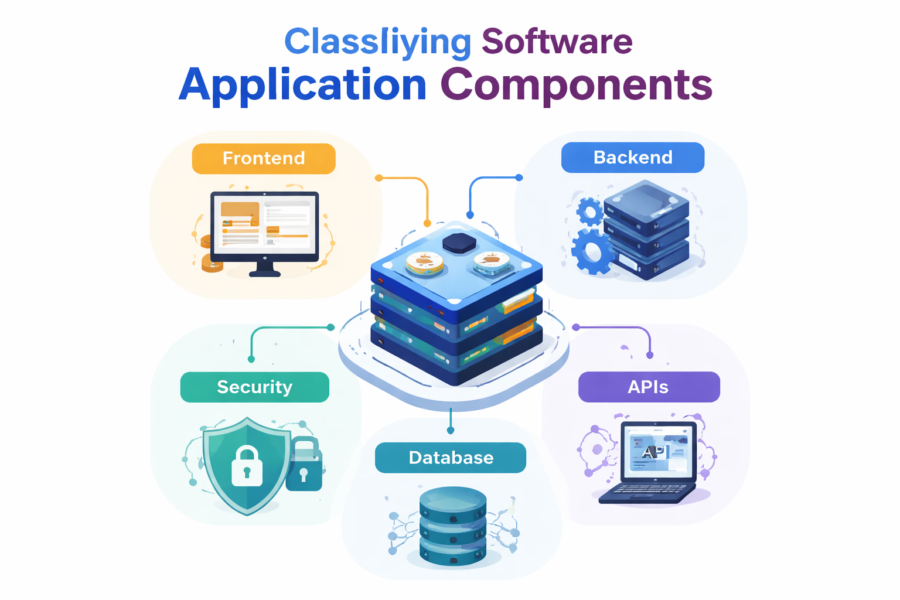
In modern software development, understanding how to classify software application components is essential for building scalable, maintainable, and high-performance systems.
A software component is a modular unit that encapsulates specific functionality and can be reused across applications.
Whether you are a beginner or an experienced developer, proper classification helps in:
-
Better system design
-
Faster development
-
Easier debugging
-
Improved scalability
In this guide, we’ll break down everything in a simple + practical + advanced way.
What Are Software Application Components?
Software components are independent building blocks that work together to form a complete application.
Examples include:
-
User Interface (UI)
-
Business Logic
-
Database
-
APIs
-
Security modules
Each component is designed to perform a specific function, making applications modular and reusable.
Main Ways to Classify Software Application Components
To truly understand classification (and beat competitors), you must look at it from multiple dimensions
1. Classification Based on Architecture (Most Important)
This is the core classification used in real-world systems
🔹 Frontend Components
-
User interface (buttons, forms, dashboards)
-
Focus: User experience
🔹 Backend Components
-
Business logic
-
Server processing
-
Handles requests & responses
🔹 Data Layer Components
-
Databases (MySQL, MongoDB)
-
Data storage & retrieval
🔹 Integration Components
-
APIs
-
Middleware
-
Third-party services
🔹 Security Components
-
Authentication (login)
-
Authorization (roles)
-
Encryption
This is the standard classification used in modern apps
2. Classification Based on Functionality
This classification focuses on what the component does
🔹 UI Components
-
Forms, dashboards, navigation
🔹 Processing Components
-
Algorithms
-
Data processing modules
🔹 Service Components
-
APIs
-
Microservices
🔹 Utility Components
-
Logging
-
Error handling
-
Configuration
Functional classification helps in code organization & reuse
3. Classification Based on Software Layers
Modern applications follow layered architecture:
🔹 Presentation Layer
-
UI / frontend
🔹 Application Layer
-
Business logic
🔹 Data Layer
-
Database operations
This separation improves:
-
Maintainability
-
Testing
-
Scalability
4. Classification Based on Deployment
🔹 Client-Side Components
-
Runs in browser/mobile
🔹 Server-Side Components
-
Runs on backend servers
🔹 Cloud Components
-
Hosted on cloud platforms (AWS, Azure)
5. Classification Based on Reusability
🔹 Reusable Components
-
Libraries
-
SDKs
🔹 Non-Reusable Components
-
Custom business logic
Reusable components reduce development time significantly
Component-Based Architecture
Modern software is built using component-based architecture, where applications are assembled like building blocks.
👉 Instead of writing everything from scratch:
-
Developers reuse components
-
Systems become modular
-
Maintenance becomes easier
This approach makes software development faster and more scalable.
🔷 Example: Real Application Breakdown
📱 Example: E-commerce App
| Component Type | Example |
|---|---|
| Frontend | Product page UI |
| Backend | Order processing |
| Data Layer | Product database |
| Integration | Payment gateway |
| Security | Login system |
🏦 Example: Banking App
-
UI → Mobile app interface
-
Logic → Transaction engine
-
Data → Account database
-
Security → Encryption + OTP
-
APIs → Payment integrations
Why Classification Matters
Understanding classification helps in:
-
Designing scalable systems
-
Improving performance
-
Enhancing security
-
Managing large applications
-
Reducing development cost
Even software itself is classified in multiple ways like:
-
System vs Application software
-
Cloud vs Installed software
-
Open-source vs Proprietary
Techztalk Recommendation
To build better applications:
✅ Always separate frontend, backend, and data
✅ Use reusable components
✅ Implement API-based architecture
✅ Focus on modular design
✅ Follow layered architecture
FAQ
What are software application components?
They are modular parts like UI, backend logic, database, APIs, and security systems that form an application.
How do you classify software components?
They can be classified based on architecture, functionality, layers, deployment, and reusability.
Why is classification important?
It improves scalability, maintainability, and performance of applications.